

ZenForensic
Forensic imaging, data recovery and analysis in one application
Plug in a drive or smartphone, record the exhibit, image it: ZenForensic creates a bit-exact, verified image in the industry-standard E01 format, recovers bad sectors in the process and documents every step in a tamper-proof way. Deleted files, timelines and search terms can then be analysed directly. Everything runs locally on your own Windows PC.
- Result
- Imaging, data recovery, verification and analysis in one application instead of five tools.
- For
- IT forensic experts, data recovery services and companies that need to preserve evidence
- Stack
- Python 3.12, PySide6, E01 / libewf, The Sleuth Kit, ADB, Ed25519
From imaging to report
Six modules that work together in one interface. Every step automatically ends up in the case log.
-
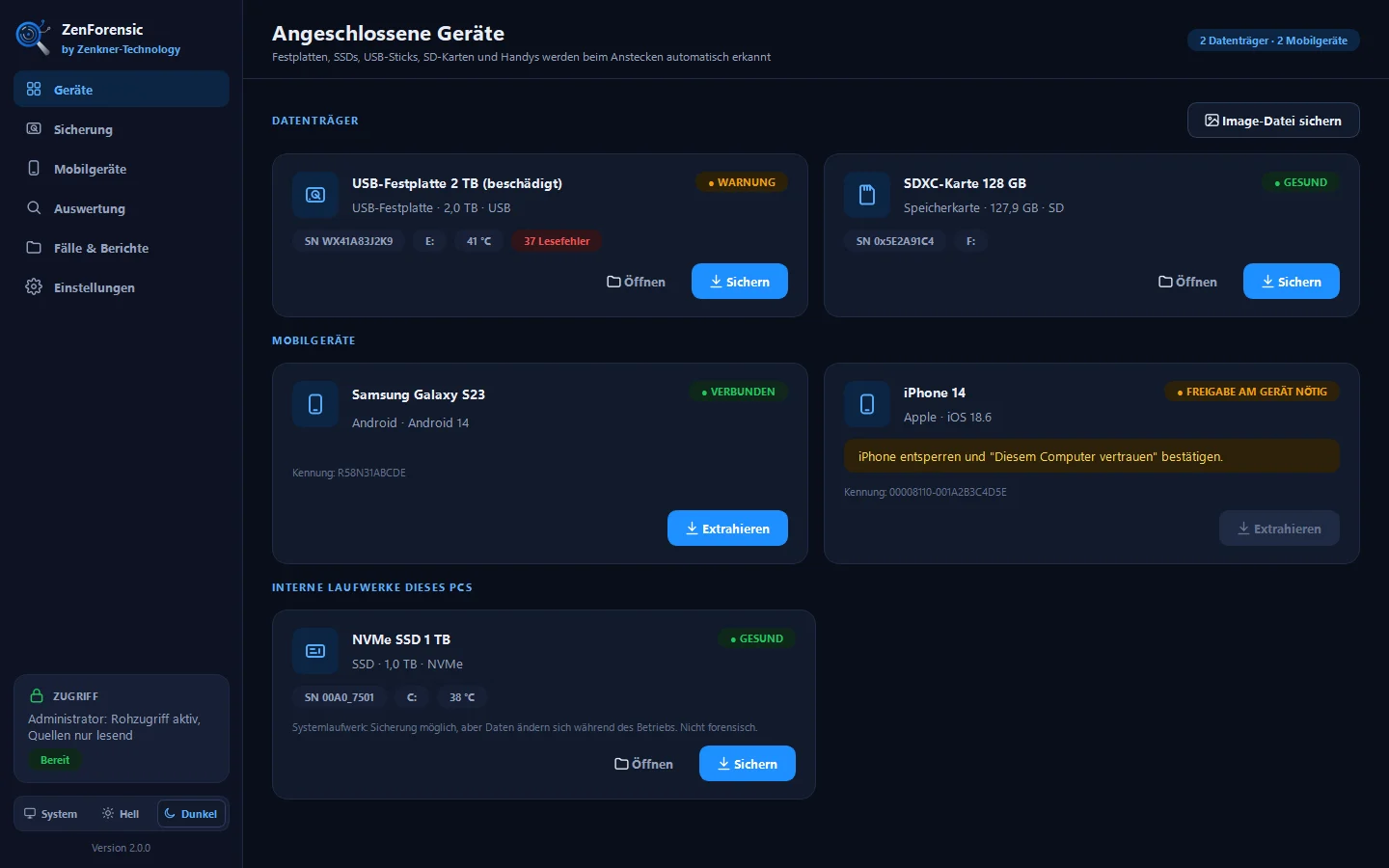
Automatic device detection
ZenForensic runs in the background and detects every connected device immediately: hard drives, SSDs, USB sticks, SD cards and Android smartphones. iPhones and iPads are shown as connected.
- Model, serial number, port, condition and temperature at a glance
- Notification in the system tray, can start with Windows
- Hints on the device, e.g. "Allow USB debugging"
-
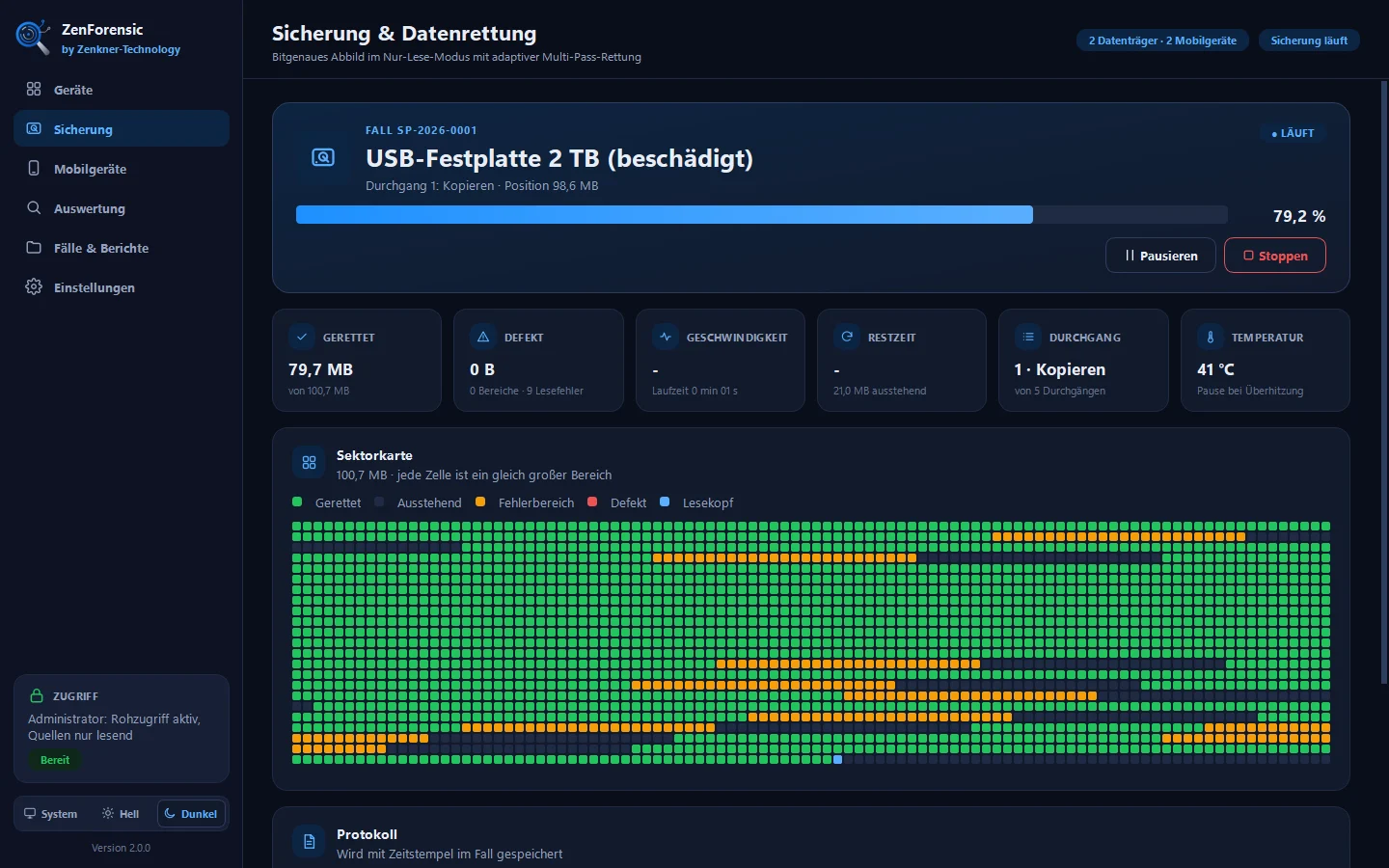
Data recovery from damaged drives
An adaptive multi-pass imager first reads all healthy areas and skips error zones so that a dying read head is not stressed further. The error areas are then narrowed down sector by sector.
- Five passes: copy, re-read, trim, scrape, retry
- Live sector map, pause on overheating, resume after unplugging
- Mapfile compatible with GNU ddrescue
-
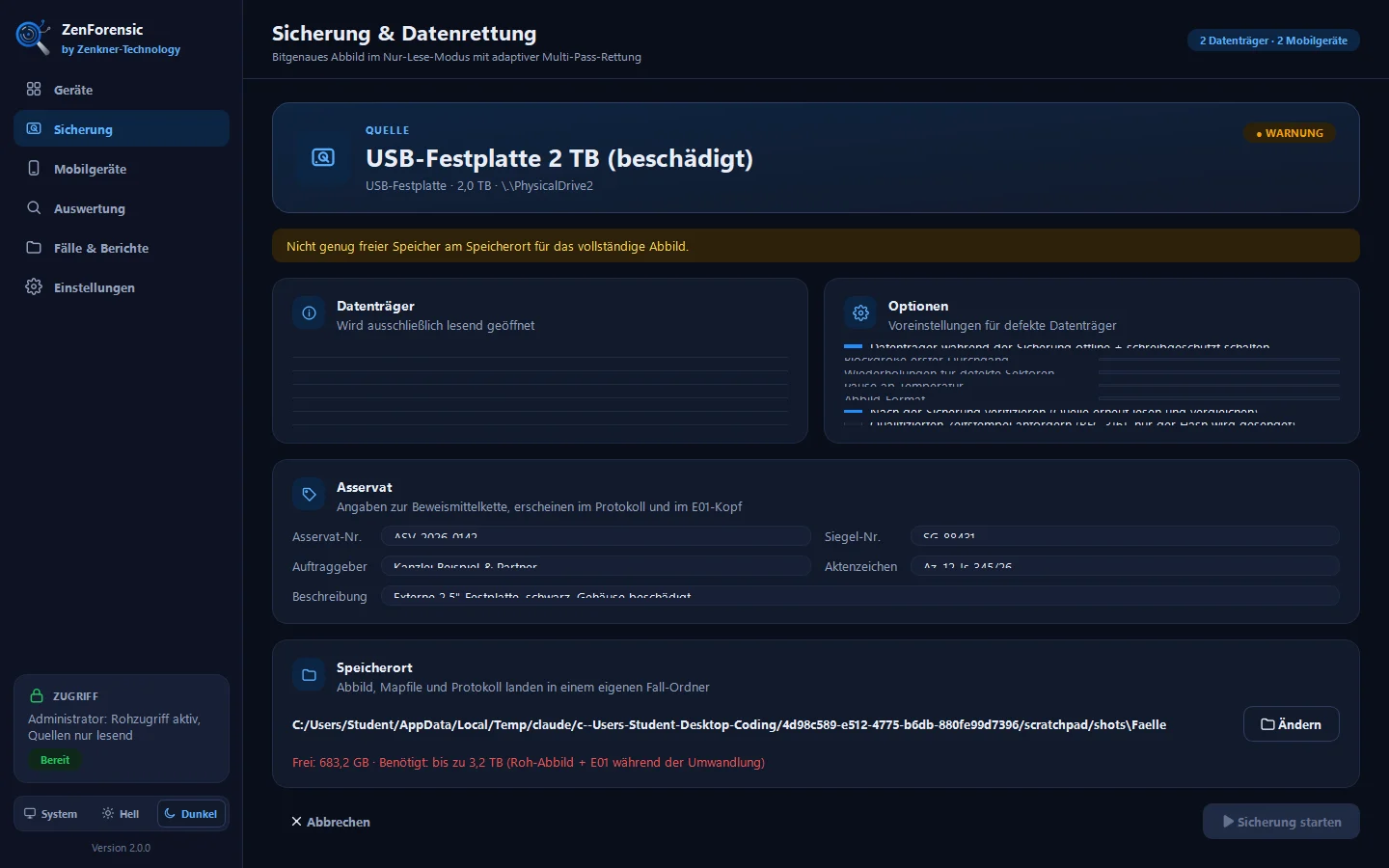
Court-ready imaging
The source is opened read-only and, if desired, additionally set offline and write-protected. The image is created in the industry-standard E01 format and verified afterwards.
- E01 (Expert Witness) with case, exhibit and examiner details in the file header
- Verification: the source is read again and compared with the image
- Checksums SHA-256, SHA-1, MD5 and BLAKE3
-
Tamper protection
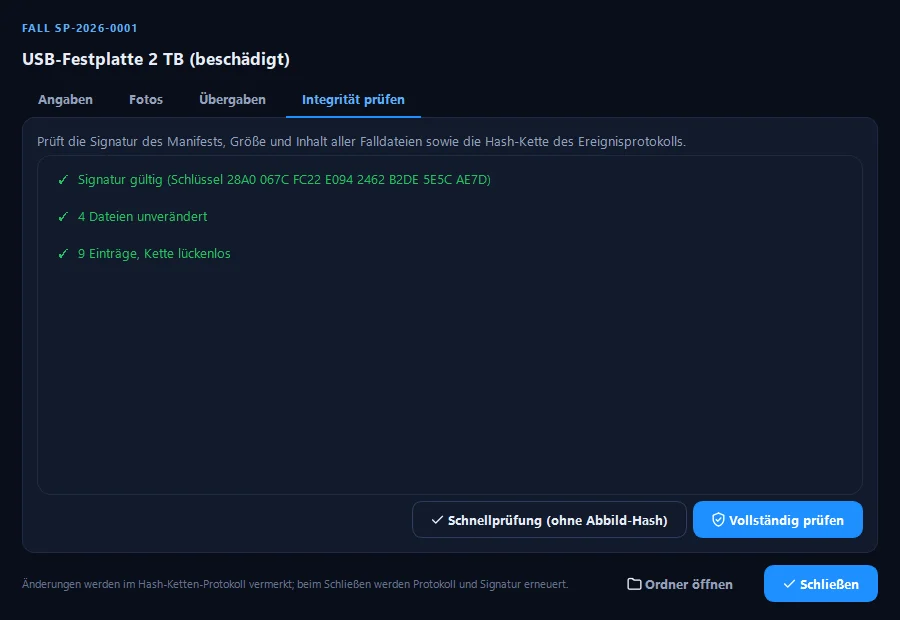
Every case is secured against subsequent changes. If even a single byte in the image, the log or the case data is changed, the integrity check shows it.
- Hash chain: every log entry contains the hash of the previous one
- Ed25519 signature over all case files (manifest)
- Optional qualified timestamp under RFC 3161
-
Extraction from Android smartphones
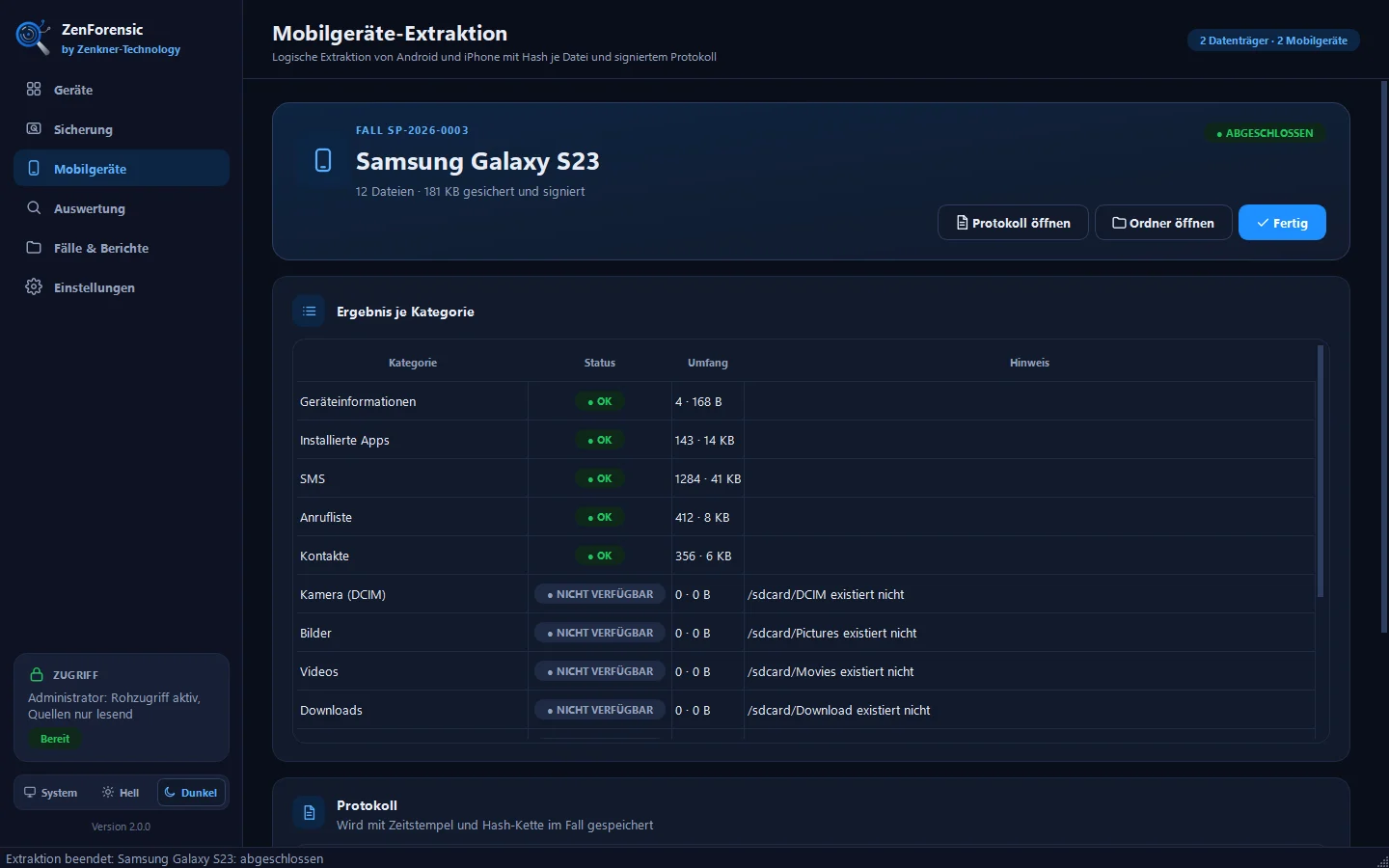
Logical extraction from Android devices via the Android Debug Bridge using read-only commands. Every transferred file is hashed and recorded in a file list with device path and timestamp.
- Android: apps, SMS, call log, contacts, photos, app media, system logs
- Android tools are downloaded directly from Google at the push of a button
- Rooted Android devices: physical image of the data partition as E01
-
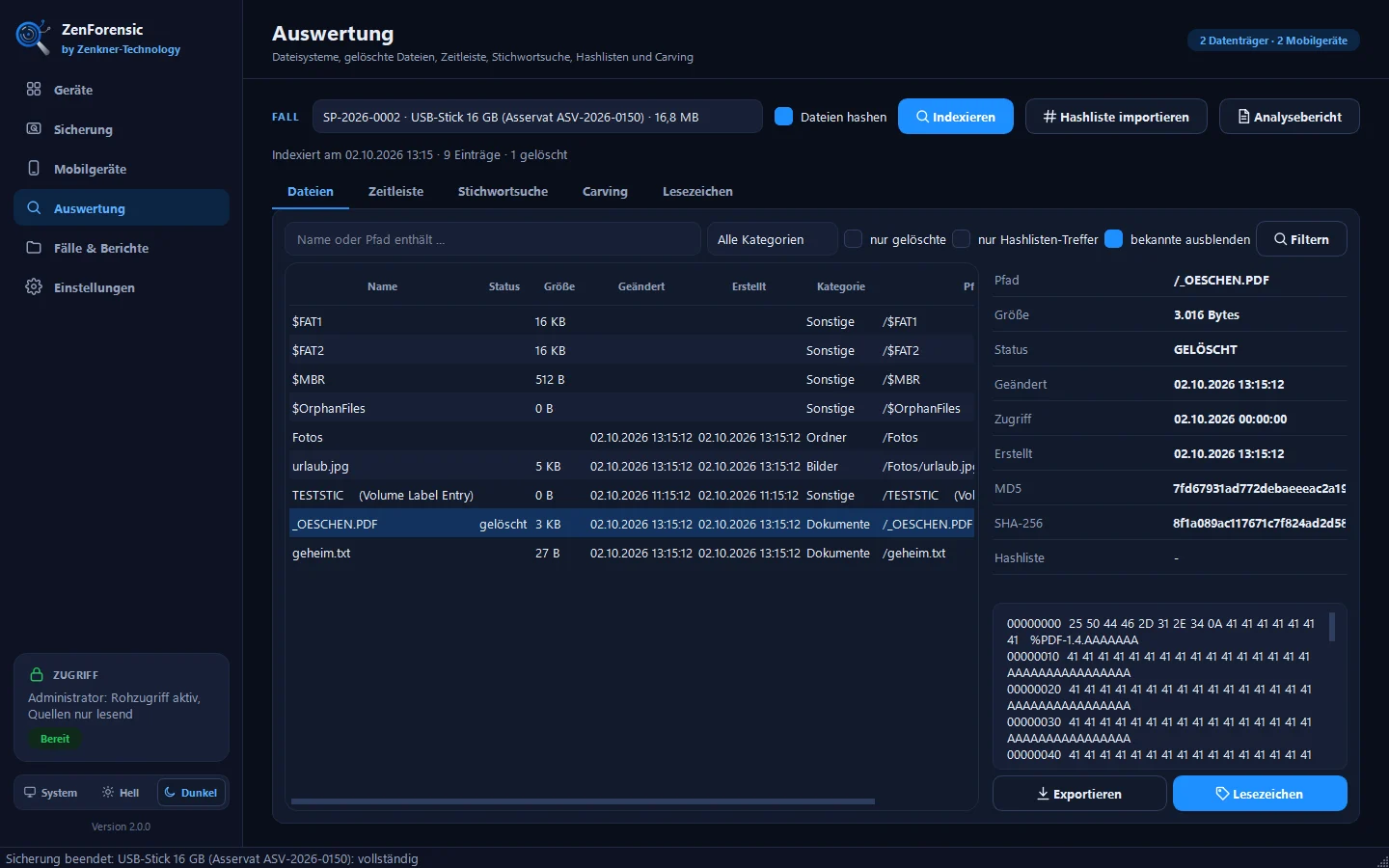
Analysis & recovery
The analysis only works on the secured image, never on the original. It is based on The Sleuth Kit, which is also used in professional forensic suites.
- File systems NTFS, FAT, exFAT, ext2-4, HFS+ including deleted files
- Timeline, keyword search across the whole image, matching against hash lists (NSRL)
- Carving of images, PDFs, Office files and SQLite databases
How a case runs
- 01
Plug in
Connect a drive or smartphone. ZenForensic detects the device and shows its condition and key data.
- 02
Record the exhibit
Enter exhibit and seal number, client, case reference and description, add photos.
- 03
Image & verify
Bit-exact image in read-only mode, recovery of bad sectors, verification and checksums.
- 04
Analyse
Review deleted files, timeline, search terms and carving finds and mark them as bookmarks.
- 05
Report
Signed PDF imaging log and analysis report in the Zenkner Technology design.
What you have at the end
Every image gets its own folder. All files are hashed and signed and can be verified with standard tools, even without ZenForensic.
Evidence
Everything that comes from the device.
- image.E01: image in Expert Witness format
- rescue.map: map of read and bad sectors
- extraktion/: smartphone data with dateiliste.csv
Proof
What proves that nothing was changed.
- fall.json: case details and event log with hash chain
- manifest.json and manifest.sig: file list with SHA-256 and signature
- manifest.tsr: optional timestamp from a timestamp authority
Results
What is produced for the client and the court.
- Sicherungsprotokoll.pdf with chain of custody and checksums
- Analysebericht.pdf with marked finds
- fotos/, export/ and analyse/carving/ with a hash per file
Who ZenForensic is for
IT forensic experts
Imaging and analysis with a traceable chain of custody.
- E01 in the standard format, verified with libewf (the basis of Autopsy)
- Signed logs for expert reports
- Verifiable without ZenForensic (openssl, libewf)
Data recovery & workshops
Recovery from damaged hard drives, memory cards and sticks.
- Gentle reading of dying drives
- Resume after interruption via the mapfile
- Recovery of deleted photos and documents
Companies & law firms
Internal investigations and evidence preservation in-house.
- Fully offline, no cloud
- Cases with exhibit, client and handovers
- Reports ready for the file
Architecture & stack
A standalone Windows application without a server and without a cloud. Raw access to drives requires administrator rights and is read-only.
- Application
- Python 3.12, Qt for Python (PySide6), standalone Windows software with installer
- Raw access
- Win32 CreateFile (GENERIC_READ, unbuffered), WMI, Set-Disk
- Image formats
- E01 (own writer following the libewf specification), RAW, ddrescue mapfile
- Analysis
- The Sleuth Kit (pytsk3), SQLite index, own carving
- Mobile devices
- Android Debug Bridge (platform tools from Google)
- Integrity
- SHA-256, SHA-1, MD5, BLAKE3, Ed25519, RFC 3161
- Reports
- ReportLab PDF in the Zenkner Technology design
- Privacy
- Offline-first, all case data stays on the workstation
- Licence
- ZenForensic usage licence (ZFL-1.0): free for private use, commercial use by agreement, no modification
Legal texts for ZenForensic
ZenForensic has its own terms and privacy information. The general legal texts of this website apply in addition.
Want to test ZenForensic in practice?
For forensic experts, data recovery businesses and companies. Tell us what you want to image or analyse.