

CS2 Companion
The second screen for Counter-Strike 2
In a match you have to keep a lot in your head: is there enough money for the next round, how long is the bomb still ticking, how did that smoke for this spot go again. CS2 Companion shows all of this live on your second monitor or phone and remembers afterwards how the match went. The interface is currently in German.
- Result
- Game state, buy recommendation, lineups and stats on a second screen, without touching the game.
- For
- Counter-Strike 2 players
- Stack
- Next.js, TypeScript, SQLite, Server-Sent Events, Steam OpenID, Game State Integration
- Live
- companion.zenkner-technology.de
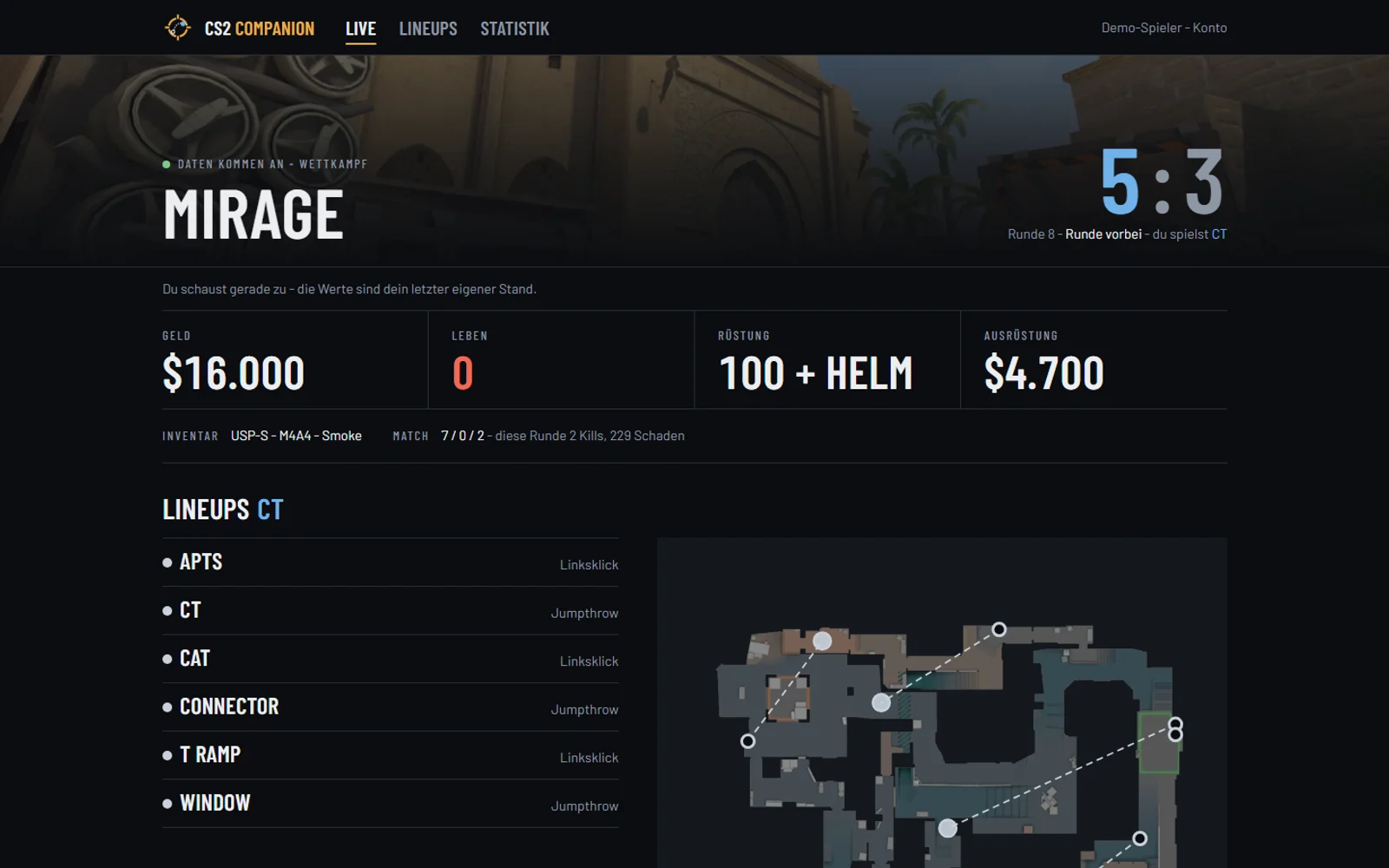
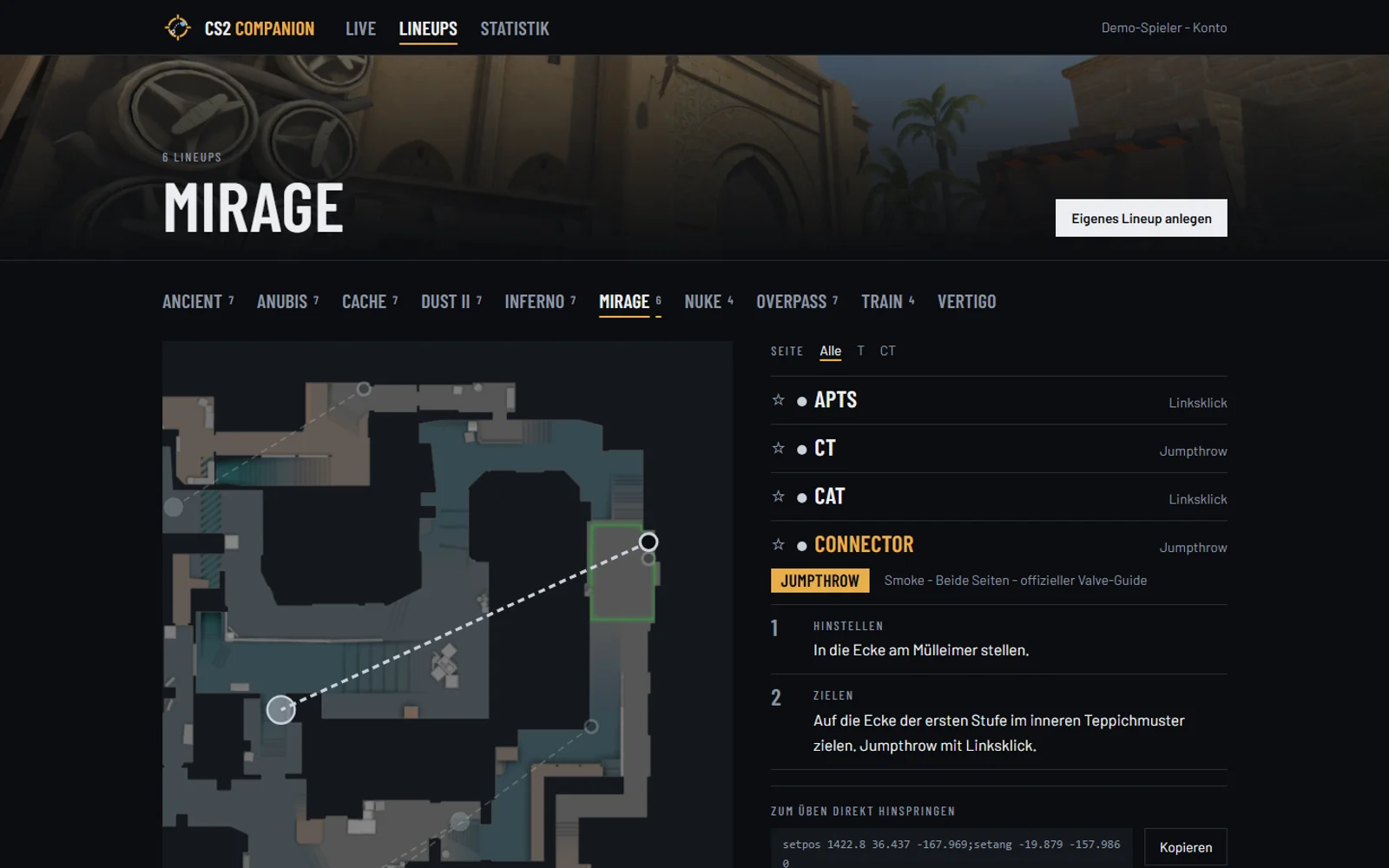
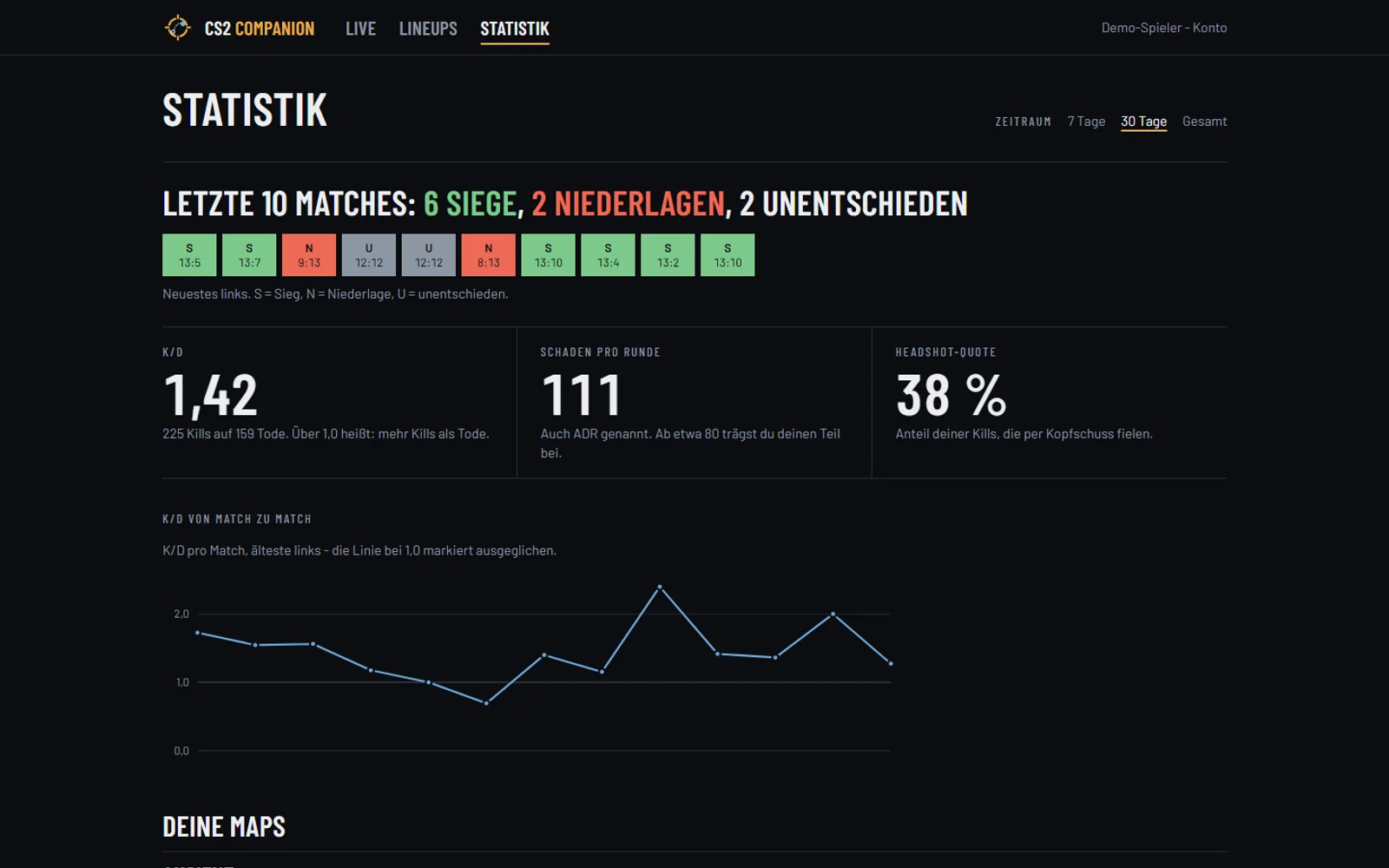
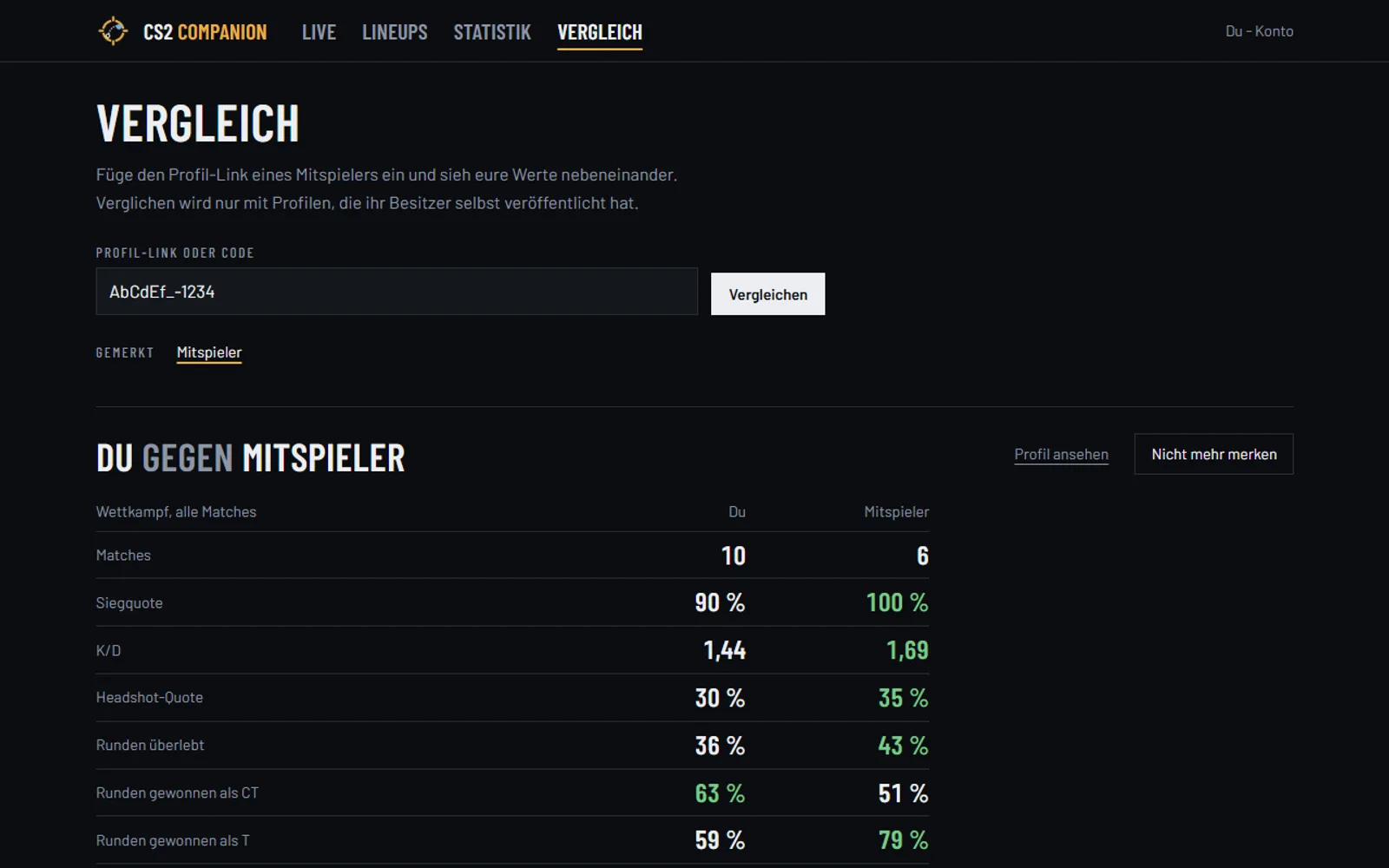
What CS2 Companion shows
-
Live dashboard
Round score, money, health and armour in big numbers on your second monitor or phone, updated several times per second.
-
Buy recommendation
During the buy phase it tells you whether a full buy, half buy, force buy or eco makes sense, calculated from money, side, loss streak and score.
-
Bomb timer
As soon as the bomb is planted, the countdown runs with a note on whether a defuse with or without a kit is still possible.
-
Lineups with map
For every map, a radar with standing position, trajectory and landing spot. Valve's official map guides are included, and you can add your own throws with a screenshot and position from the game.
-
Practice command
For every lineup, the ready-made console command that teleports you to the standing position with the right view angle on a practice server.
-
Live round history
Below the live values, the history of the current match grows round by round, along with the interim score per side and your own record on the map being played.
-
Statistics
Every match is recorded automatically: last ten results, K/D and headshot rate compared with the previous period, strongest and weakest map, both sides, streaks, personal bests and pistol rounds, round history of every match.
-
Profile and comparison
Statistics are private. If you want, you can enable a public profile with a random link. Teammates then see their values next to yours, including for the maps you played together.
From the game to your second screen
- 01
Sign in with Steam
Sign-in via Steam OpenID. Your password stays with Steam, the application only learns your public SteamID.
- 02
Drop in one file
A personal configuration file goes into the CS2 cfg folder. No program is installed.
- 03
Play
CS2 sends your own game state via Game State Integration. The server distributes it to all open views via server-sent events.
- 04
Analyse
Matches and rounds are detected from the data stream and stored, without uploading demos.
Architecture & stack
The application only sees what the game shows a player anyway. Only data packets that belong to the SteamID of the signed-in account are accepted.
- Application
- Next.js 15, TypeScript, Tailwind CSS, server-sent events
- Data source
- Counter-Strike 2 Game State Integration, an official Valve interface
- Sign-in
- Steam OpenID with server-side verification, session cookie, no separate password
- Data storage
- SQLite, data separated per account, statistics private, public profile only on request, account and all data deletable by the user
- Content
- Official map guides, map dimensions and overviews from the game files, texts translated into German
- Administration
- Users with detail view, key figures, lineup approvals and operations via the Zenkner Technology CRM
- Operations
- Docker on our own server in Germany, nginx with TLS and rate limits
- Cost for users
- Free
Legal texts for CS2 Companion
CS2 Companion has its own terms and privacy information. The general legal texts of this website apply in addition.

Interested in CS2 Companion or something similar?
Send me a short note about what you need. You will get a personal reply within one working day.