
ZenVault
Self-hosted document archive
Invoices, contracts, official notices and receipts in one place, searchable and sorted automatically. ZenVault runs on your own server, in your homelab or on a mini PC and can be reached securely on the go via Tailscale.
- Result
- Store, search and manage documents self-hosted, without a cloud provider.
- For
- Households and freelancers with their own server
- Stack
- FastAPI, PostgreSQL, Tesseract OCR, Chrome Extension, Android, Tailscale
What ZenVault does
-
Text recognition on your own server
Scans and photos are converted into searchable PDF/A files with Tesseract and ocrmypdf. No document leaves your own network for this.
-
Full-text search with German word stemming
Search across title, content, file names and invoice numbers. Typos and word forms are taken into account.
-
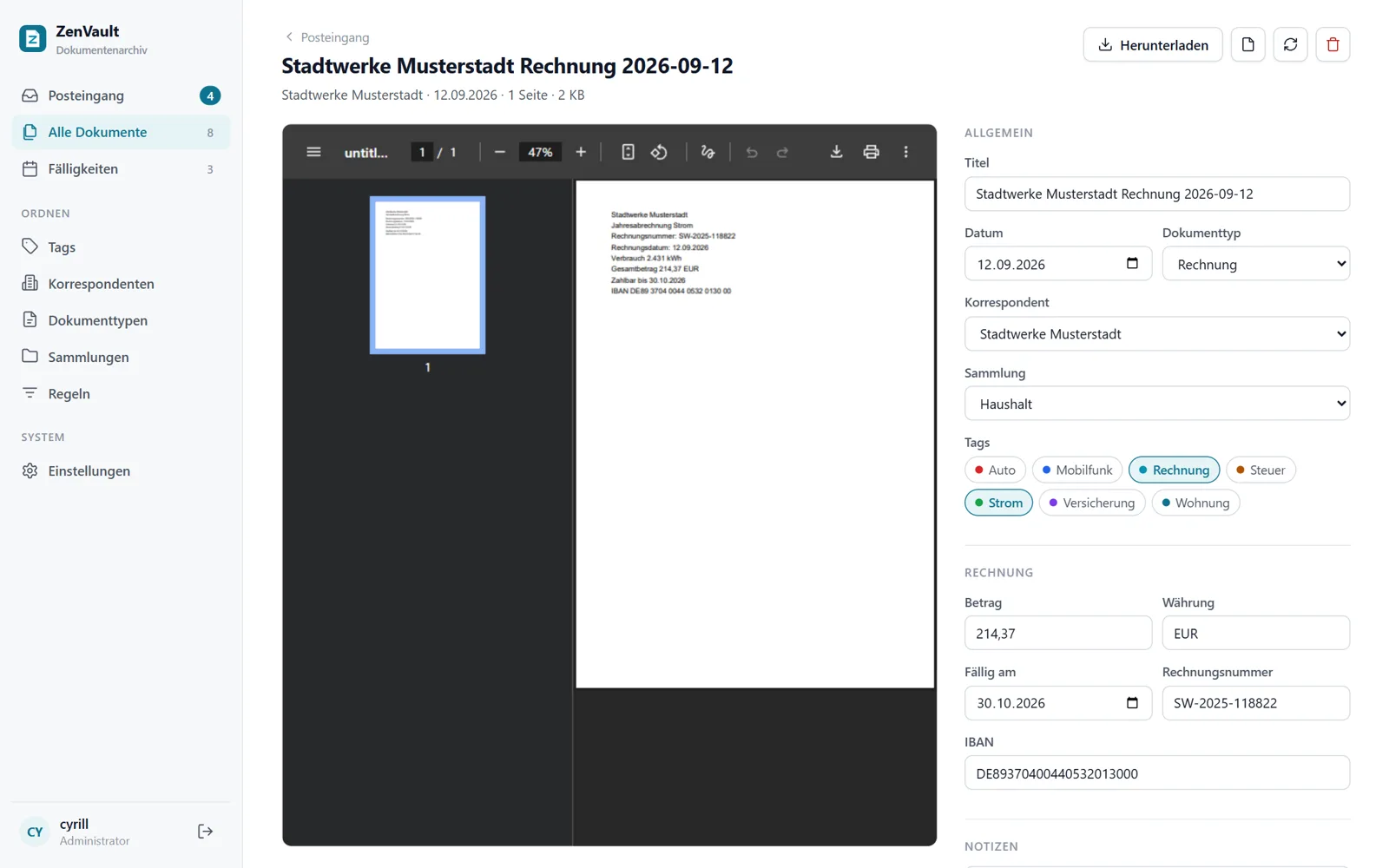
Understanding invoices
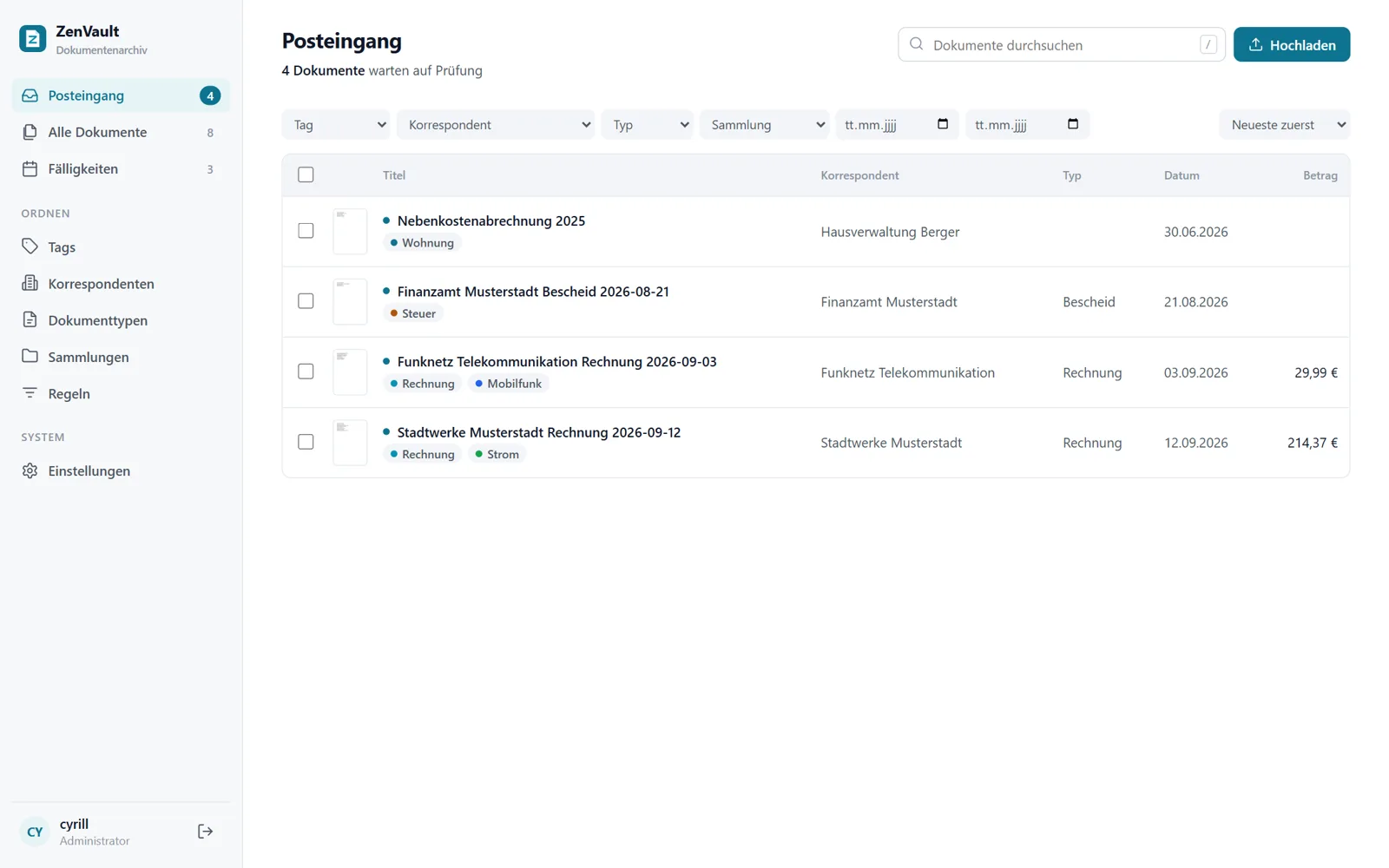
Date, due date, amount, IBAN and invoice number are extracted automatically. Open payment deadlines are collected under due dates.
-
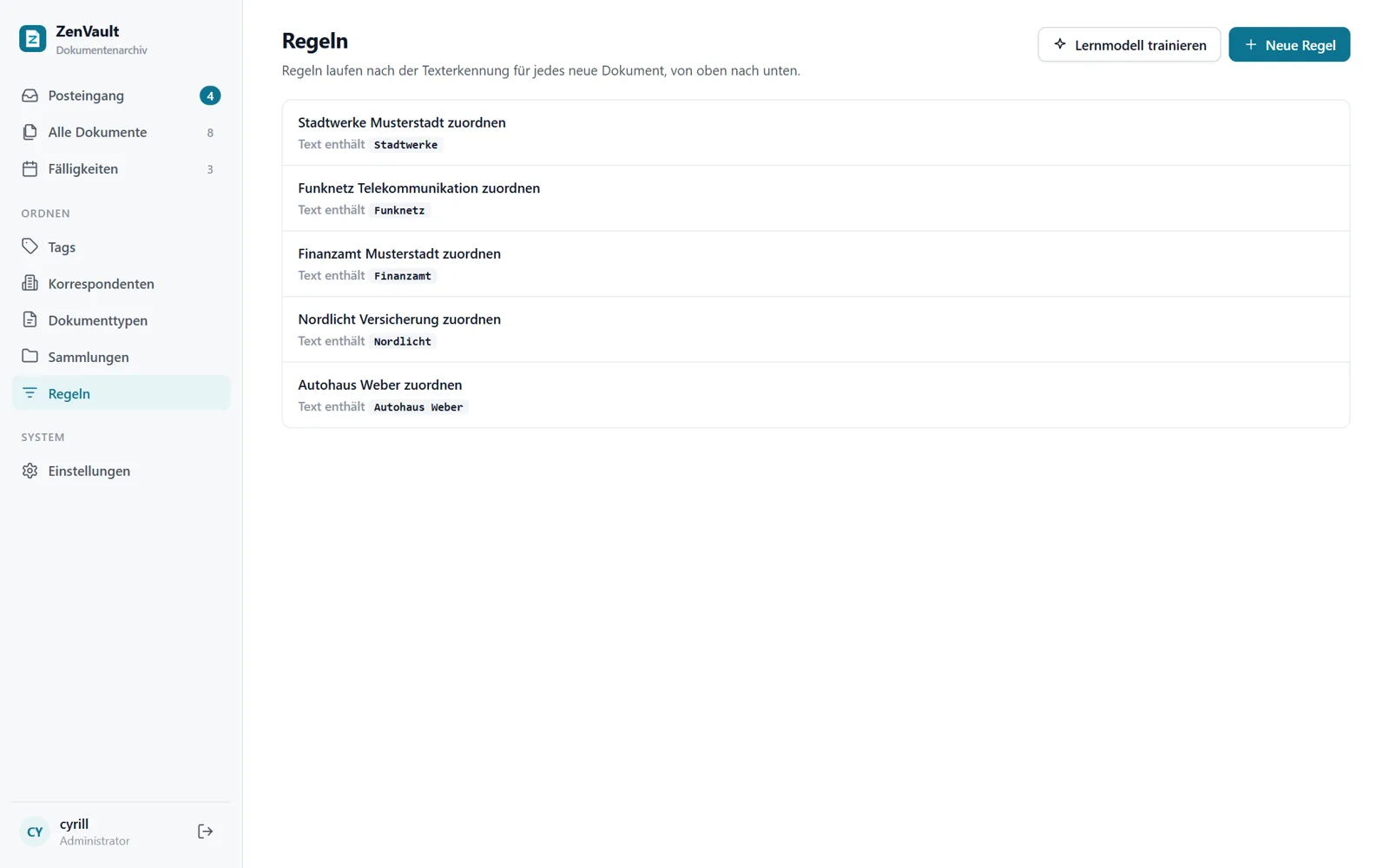
Sorting by your own rules
A rule such as "text contains Stadtwerke" sets correspondent, tags, collection and a title from a template. A test shows beforehand how many documents it applies to.
-
Learns from your decisions
A local model evaluates reviewed documents and suggests assignments for new documents. Without cloud AI.
-
Several users, separate archives
Every user has their own archive. Devices connect with their own access tokens, which can be revoked individually.
Four ways into the archive
- 01
Web interface
Drag and drop, inbox, bulk editing, rule editor and PDF preview in the browser.
- 02
Chrome extension
Archive the current page or PDF with one click, take over detected invoice downloads, search in the popup.
- 03
Android app
Scan documents with edge detection, share files from any app, cache uploads offline.
- 04
Consume folder and email
Network scanners drop files into a folder, attachments from an IMAP mailbox are imported automatically.
Architecture & stack
- Server
- Python 3.12, FastAPI, PostgreSQL with full-text index
- Text recognition
- Tesseract, ocrmypdf, output as PDF/A
- Installation
- Docker Compose or installation script for Debian, Ubuntu and Proxmox LXC
- Remote access
- Tailscale with HTTPS, no open ports on the router
- Clients
- Web, Chrome extension (Manifest V3), Android 8 and later
- Data storage
- Exclusively on your own server, daily database backup
- Minimum hardware
- 2 CPU cores, 2 GB RAM, 4 GB recommended
- Licence
- ZVL-1.0: free for private use, no commercial use, no modification. Commercial use on request
Installation
Set up in a few minutes
Run as root on Debian, Ubuntu or in a Proxmox container. The script sets up the database, text recognition, services, backup and Tailscale if desired.
curl -fsSL https://www.zenkner-technology.de/zenvault/install.sh | bash -s -- --tailscaleWith Docker:
curl -fsSL https://www.zenkner-technology.de/zenvault/zenvault-latest.tar.gz | tar -xz
cd zenvault && cp .env.example .env && docker compose up -d --build
Downloads
Server, extension and guide
- ZenVault serverRelease package with web interface, Docker files and Proxmox scriptDownload tar.gz
- Installation scriptFor Debian, Ubuntu and Proxmox LXCinstall.sh
- Setup guideInstallation, Tailscale, browser, app, backup and troubleshooting as a PDFOpen PDF
- Chrome extension Chrome Web Store listing in preparation. Until then, available as a package to load manually under chrome://extensions with developer mode enabled.
- Android appComing soon to the Google Play Store.Coming soon on Google Play
Legal texts for ZenVault
ZenVault has its own terms and privacy information. The general legal texts of this website apply in addition.

Interested in ZenVault or something similar?
Send me a short note about what you need. You will get a personal reply within one working day.