
StickGuard
USB control for company computers
StickGuard only allows the USB storage devices on workstations that the company has approved. A Windows agent verifies every stick cryptographically, and the control center shows live what is happening on which computer.
- Result
- Only approved USB drives are accepted, every incident shows up live in the control center.
- For
- Companies with sensitive workstations
- Stack
- FastAPI, Next.js, Python Agent, PostgreSQL, Docker, ECDSA P-256
The company decides what happens at the USB port
Block lists by manufacturer or device ID are easy to bypass. Instead, StickGuard checks a key that only the approved stick possesses.
-
Only approved sticks get through
Every StickGuard stick carries its own key pair. When it is plugged in, the agent requests a one-time challenge from the backend and has the stick sign it. A stick without a valid identity is blocked and ejected before anyone can work with it.
- ECDSA P-256 challenge-response
- One-time challenge from the server against replayed responses
- USB hard drives and SSDs are detected too
- Blocked while the check is running
-
Copied and lost sticks stay worthless
A stick's key is bound to its hardware. Anyone who copies the content to another drive gets a clone that is not accepted on any computer, and a critical incident appears in the control center. An optional PIN protects against use by finders or thieves.
- Bound to the serial number of the drive
- PIN is set on the computer and never transmitted
- Kill switch wipes and locks a lost stick the next time it is plugged in
- Clone attempts trigger an alert
-
Approvals instead of blanket bans
If a customer or service provider brings their own stick, the employee requests access directly via the StickGuard icon. The administrator decides in the control center with one click: for one hour, permanently or read-only.
- Request with justification from the workstation
- Time-limited approval expires on its own
- Read-only approval for third-party drives
- Every decision is traceable
-
Policies that fit the business
Rules apply to the whole tenant, individual departments or individual sticks. They take effect at the next check, without a restart and without a visit to the workstation.
- Write protection per department or stick
- Access only from computers with BitLocker and firewall
- Time-limited offline approval for notebooks on the road
- Time windows, department and device locks
-
Traceable down to the individual file
Every check, every blocked third-party stick and every approval is logged and shown live. If desired, the file log records which files were created, modified or deleted on an approved stick.
- Live log via WebSocket
- File log only with an explicitly activated policy
- CSV export for audits
- Alerts by email or webhook to Teams and Slack
One cockpit instead of scattered lists
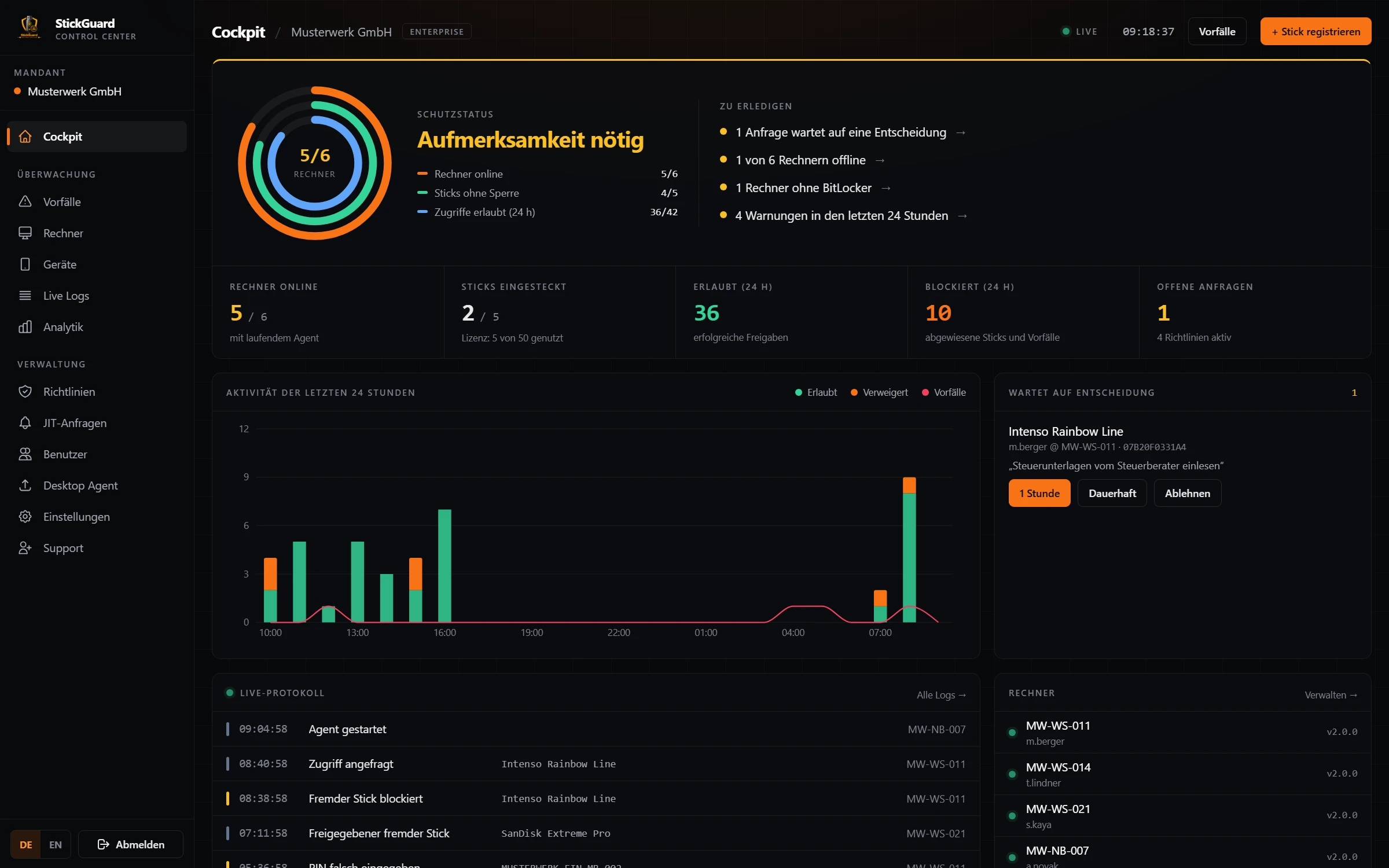
The web dashboard is designed around an administrator's day: first the status, then the open decisions, then the details.
Cockpit
The start page answers at a glance whether everything is fine and what needs doing.
- Protection status with ring display
- Open tasks with direct links
- History of the last 24 hours
- Approvals without changing page
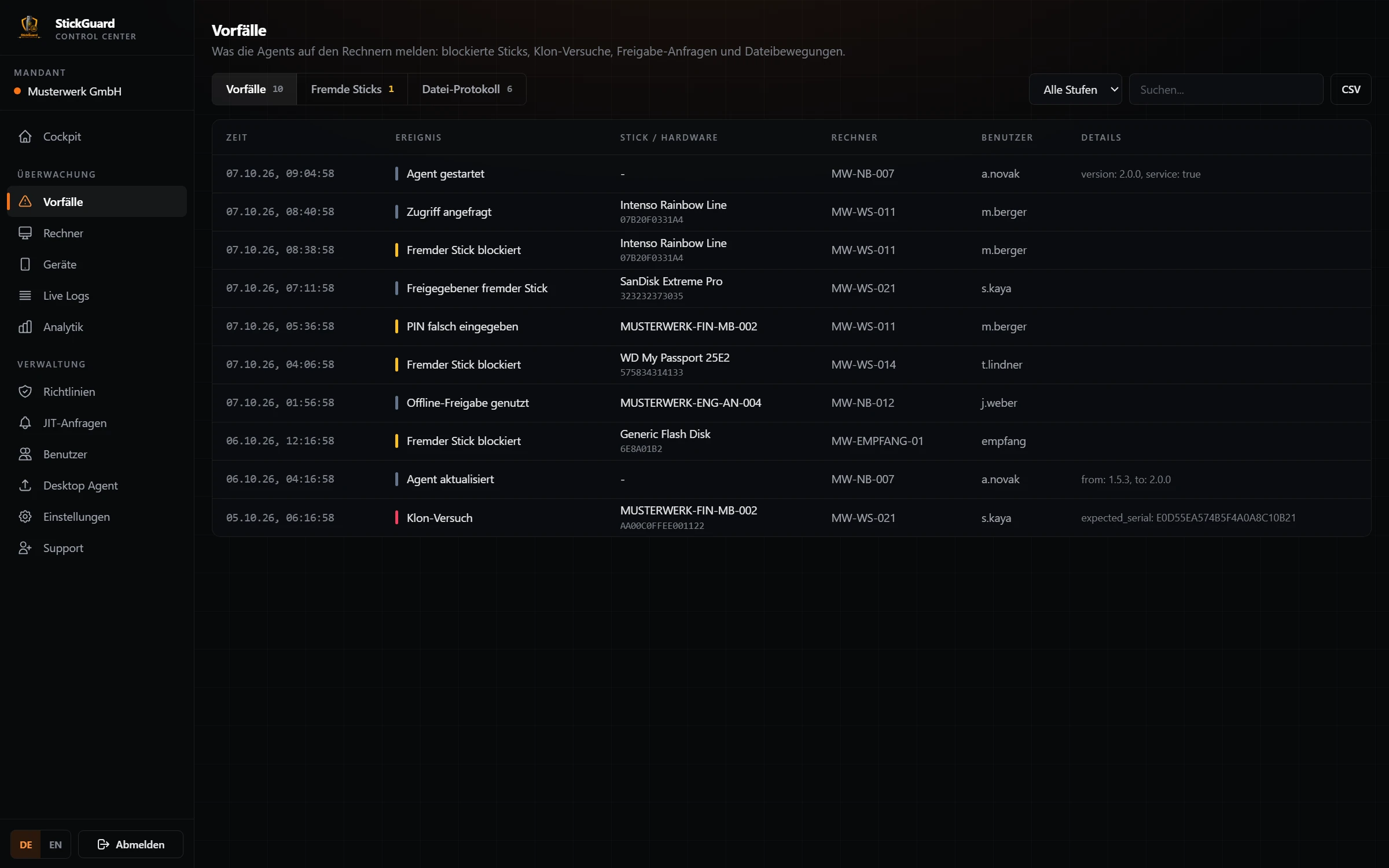
Incidents
What the agents report, sorted by severity and searchable.
- Blocked third-party sticks with hardware data
- Clone attempts and wrong PIN entries
- Approval requests and allowlist
- File log with export
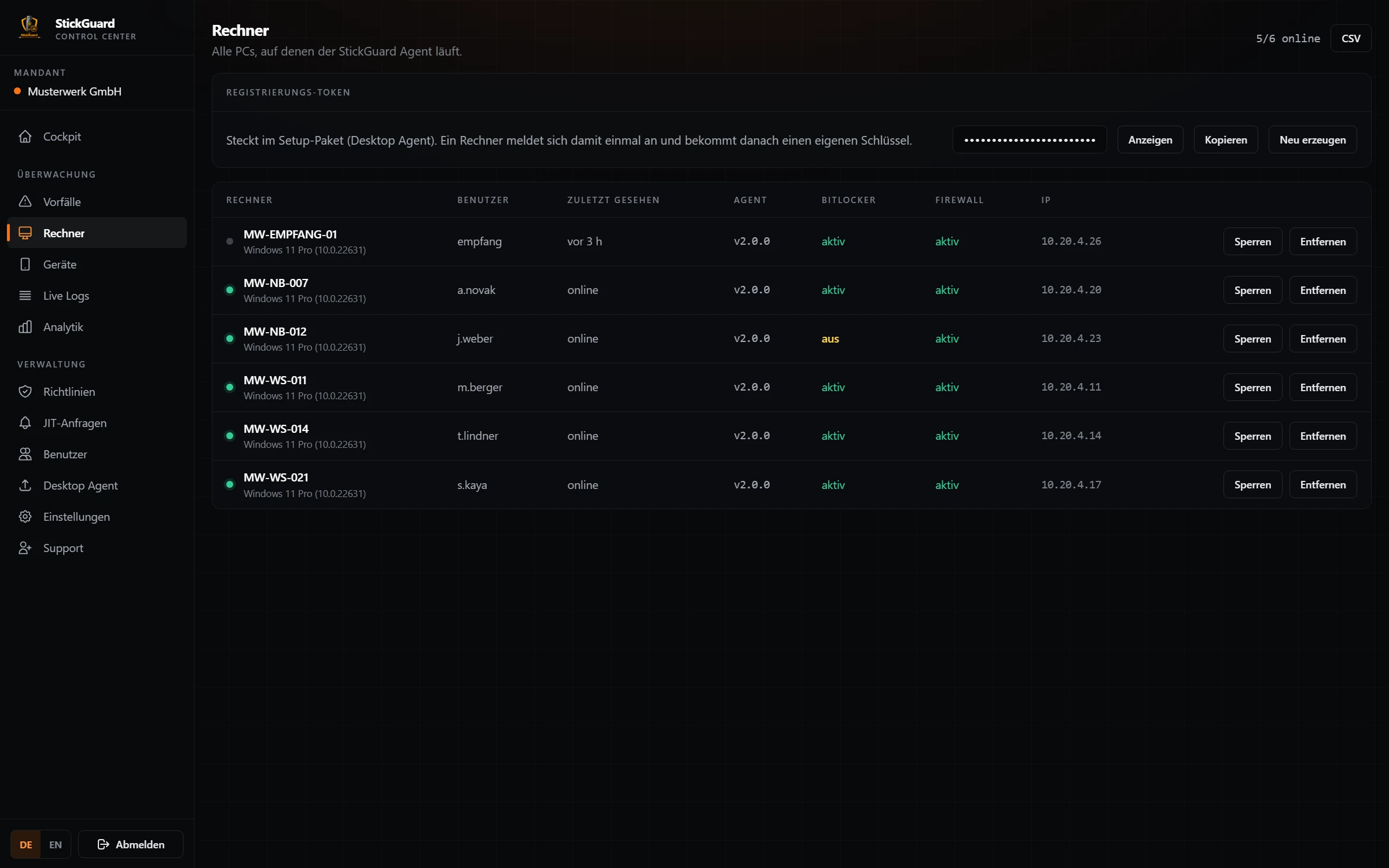
Computers
Every PC with the agent appears automatically as soon as it has registered.
- Online status and signed-in user
- Agent version, BitLocker and firewall
- Separate access token per computer
- Block a computer with one click
Sticks and policies
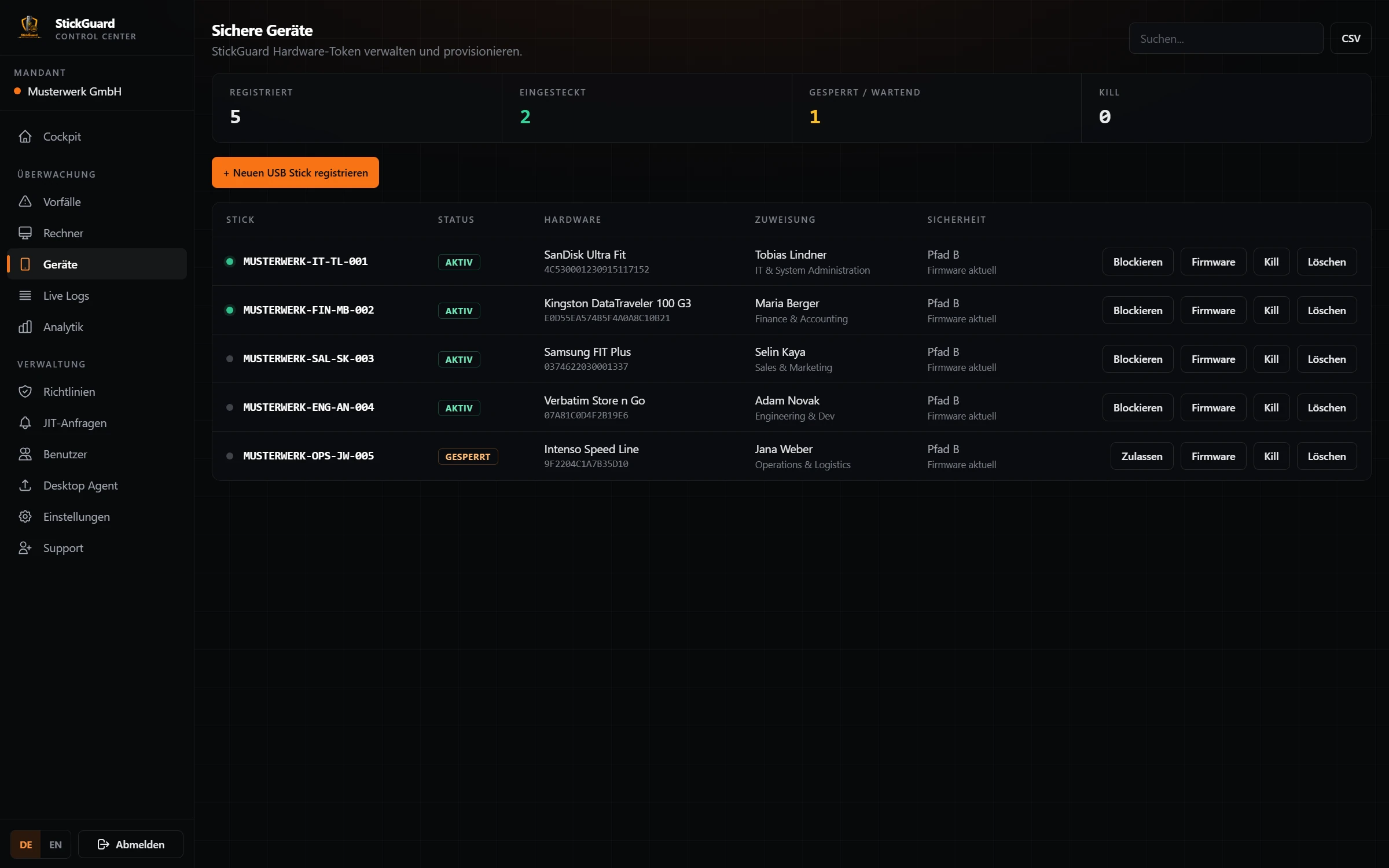
Set up drives, assign them and take them out of circulation when needed.
- Set-up on a selected computer
- Assignment to person and department
- Lock, 2FA approval and kill switch
- Rules as a clear list
From plugging in to approval
- 01
Detect
The agent runs as a Windows service, notices the new drive and blocks it for the duration of the check.
- 02
Verify
The stick signs a one-time challenge from the backend. Serial number and optional PIN must match.
- 03
Decide
The backend evaluates status and policies: allow, read-only, wait for approval or reject.
- 04
Report
The stick is released or ejected. The result appears in the cockpit immediately, and critical incidents are also sent by email.
Architecture & stack
- Control center
- Next.js 14, React, Tailwind CSS, Recharts
- Backend API
- FastAPI (Python 3.11), SQLAlchemy
- Database
- PostgreSQL 15
- Desktop agent
- Python, PyInstaller, Windows service with tray interface
- Cryptography
- ECDSA P-256, Ed25519-signed offline approvals, AES-GCM
- Real time
- WebSocket for live log and cockpit
- Tenants
- Multi-tenant, roles, separate token per computer
- Operations
- Docker Compose, Nginx reverse proxy
- Hardware roadmap
- STM32 with ATECC608A crypto chip
Legal texts for StickGuard
StickGuard has its own terms and privacy information. The general legal texts of this website apply in addition.

Interested in StickGuard or something similar?
Send me a short note about what you need. You will get a personal reply within one working day.