

DozentDesk
Class register entries per teaching unit, ready to copy
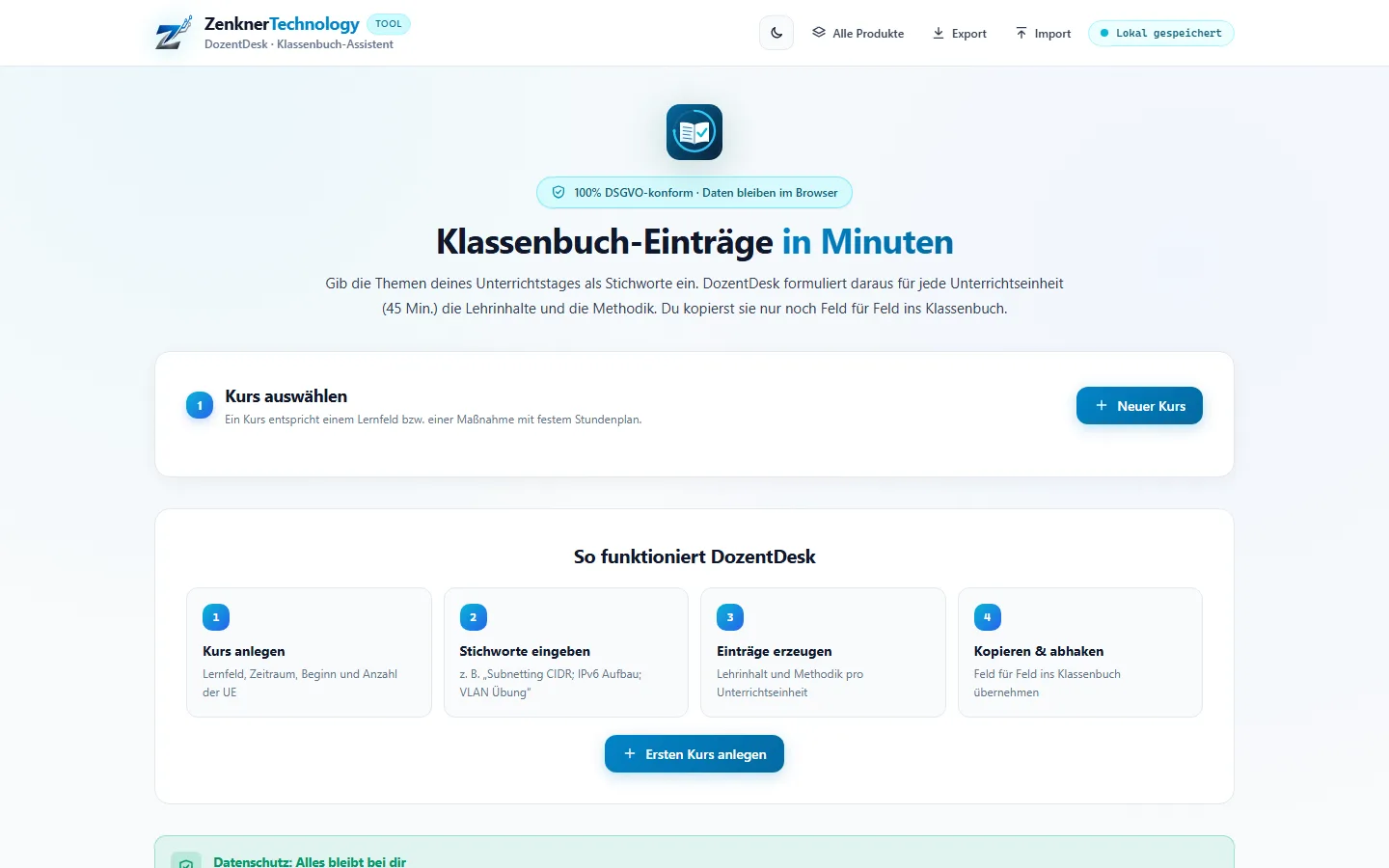
Lecturers in German retraining programmes document every 45-minute unit individually in the class register. DozentDesk turns a few keywords into the complete day, fully worded and with teaching methods. All data stays with the lecturer. It is the counterpart to the ABN Scanner. The tool itself is in German.
- Result
- Daily keywords become finished class register entries for every teaching unit.
- For
- Lecturers and training providers in retraining programmes
- Stack
- FastAPI, Groq LLM, IndexedDB, Local-first, EdTech, B2B
- Live
- dozentdesk.zenkner-technology.de
Less documentation, more teaching
From keyword to checked-off class register entry, without course or participant data leaving the device.
-
AI wording in class register style
Short daily keywords such as "Subnetting CIDR; IPv6 structure; VLAN exercise" become factual, technically specific lesson content for each teaching unit, exactly in the tone of a real topic documentation.
- Few-shot prompt based on real topic documentation
- Automatic opening recap and closing check-out
- Teaching method from a fixed list (e.g. presentation/demonstration)
-
Copy-paste workflow per 45 minutes
Each teaching unit appears as a card with time, lesson content and method. One click copies the respective field, a tick marks it as entered.
- Separate copy buttons for each class register field
- Times including breaks calculated automatically
- Progress indicator per day (e.g. 6/9 entered)
-
Reuse courses, days & building blocks
Learning fields are created as courses. The previous day feeds into the recap, frequent topic blocks can be saved as building blocks and whole days can be duplicated for the next class.
- Course history with day numbering
- Building block library for recurring topics
- Duplicate days for parallel or follow-up classes
-
Local-first & GDPR by design
All courses and entries stay in the lecturer's browser (IndexedDB). There is no account, no server database, no cookies and no tracking. Only the keywords go to the AI.
- No storage on Zenkner Technology servers
- Warning for personal data in keywords
- Template mode usable entirely without AI, JSON export
Four steps to finished topic documentation
- 01
Create a course
Set learning field, period, start and number of teaching units.
- 02
Keywords
Briefly note the day's topics or insert them from building blocks.
- 03
Generate & check
Generate and adjust lesson content and method per unit.
- 04
Copy & tick off
Transfer field by field into the class register.
Architecture & stack
Lean FastAPI application without a database. The backend only forwards the keywords to the language model. All courses, days and building blocks are stored by the lecturer's browser.
- Web application
- FastAPI (Python 3.12), stateless
- Frontend & design
- Vanilla JS (ES modules), custom CSS, white & dark mode
- AI wording
- Groq API · GPT-OSS 120B (optional)
- Fallback
- Rule-based template generator (offline)
- Data storage
- Browser IndexedDB (zero-data backend)
- Security
- Strict CSP, no cookies, no access logs, rate limit in RAM
- Deployment
- Nginx SSL reverse proxy, Uvicorn, systemd
- Domain
- dozentdesk.zenkner-technology.de
Legal texts for DozentDesk
DozentDesk has its own terms and privacy information. The general legal texts of this website apply in addition.

Interested in DozentDesk or something similar?
Send me a short note about what you need. You will get a personal reply within one working day.